Brand new

A new way to stream. Everything in one place.

Run Studio, Live Center, overlays, Play, and Discord tools from one login. Create a custom look, then go live from Windows or Apple Silicon Mac.

Live Center · StreamChum 3,940 VIEWERS
LIVE CAM
Twitch · YT · Kick
Twitch@PixelRider:the new overlay fits the stream really well
Kick@VibeQueen:playing as P2 from my phone
YouTube@KiraVance:the new scene is live
TW1.8k60 FPS
YT1.2k1080p
KC95060 FPS
0%DropLive
🎮StreamChum Play · 4-Player Co-Op
WebRTC connected
YXBA
P1 @Alex · Playing in browser
P1@AlexA
P2@SamB
P3@JordanRT
P4@MorganX
Element Builder · Overlay previewTransparent browser source
NEW SUBSCRIBERMONTH 3
👑
@CyberNova"Let's beat the boss!"
COMMUNITY GOAL850 / 1,000 (85%)
AIPromptReady
60FPSAlpha
OBSBrowserSync
FXAudioOn
⚡Unified Commands & Discord Bot
Action ready
Twitch@PixelRider:!play bossAction started
✓Swapped OBS Scene to "Party Arena"
✓Fired Sound FX fanfare.mp3 to stream
✓Posted Room invite link to Discord #party
💬
Discord · #announcements

🔴 Live now. 4 controller seats open in browser.

CMD!playRunning
OBSSceneSwapped
SFXAudioFired
DISCSyncLive

Run the stream from Live Center

Let viewers play from a browser

Create overlays and event alerts

Connect commands, Actions, and Discord

Run the stream from Live Center
Live Center · StreamChum 3,940 VIEWERS
LIVE CAM
Twitch · YT · Kick
Twitch@PixelRider:the new overlay fits the stream really well
Kick@VibeQueen:playing as P2 from my phone
YouTube@KiraVance:the new scene is live
TW1.8k60 FPS
YT1.2k1080p
KC95060 FPS
0%DropLive
Let viewers play from a browser
🎮StreamChum Play · 4-Player Co-Op
WebRTC connected
YXBA
P1 @Alex · Playing in browser
P1@AlexA
P2@SamB
P3@JordanRT
P4@MorganX
Create overlays and event alerts
Element Builder · Overlay previewTransparent browser source
NEW SUBSCRIBERMONTH 3
👑
@CyberNova"Let's beat the boss!"
COMMUNITY GOAL850 / 1,000 (85%)
AIPromptReady
60FPSAlpha
OBSBrowserSync
FXAudioOn
Connect commands, Actions, and Discord
⚡Unified Commands & Discord Bot
Action ready
Twitch@PixelRider:!play bossAction started
✓Swapped OBS Scene to "Party Arena"
✓Fired Sound FX fanfare.mp3 to stream
✓Posted Room invite link to Discord #party
💬
Discord · #announcements

🔴 Live now. 4 controller seats open in browser.

CMD!playRunning
OBSSceneSwapped
SFXAudioFired
DISCSyncLive
Run the stream from Live Center
Live Center · StreamChum 3,940 VIEWERS
LIVE CAM
Twitch · YT · Kick
Twitch@PixelRider:the new overlay fits the stream really well
Kick@VibeQueen:playing as P2 from my phone
YouTube@KiraVance:the new scene is live
TW1.8k60 FPS
YT1.2k1080p
KC95060 FPS
0%DropLive
Let viewers play from a browser
🎮StreamChum Play · 4-Player Co-Op
WebRTC connected
YXBA
P1 @Alex · Playing in browser
P1@AlexA
P2@SamB
P3@JordanRT
P4@MorganX
Create overlays and event alerts
Element Builder · Overlay previewTransparent browser source
NEW SUBSCRIBERMONTH 3
👑
@CyberNova"Let's beat the boss!"
COMMUNITY GOAL850 / 1,000 (85%)
AIPromptReady
60FPSAlpha
OBSBrowserSync
FXAudioOn
Connect commands, Actions, and Discord
⚡Unified Commands & Discord Bot
Action ready
Twitch@PixelRider:!play bossAction started
✓Swapped OBS Scene to "Party Arena"
✓Fired Sound FX fanfare.mp3 to stream
✓Posted Room invite link to Discord #party
💬
Discord · #announcements

🔴 Live now. 4 controller seats open in browser.

CMD!playRunning
OBSSceneSwapped
SFXAudioFired
DISCSyncLive
TWITCHYOUTUBEKICKSTREAMCHUM STUDIOOBS STUDIOSTREAM DECKDISCORDKO-FI
One product

Chat, go-live, overlays, and Play

Switch between the parts of StreamChum without changing accounts or opening separate platform dashboards.

Producer

Produce the stream from the browser

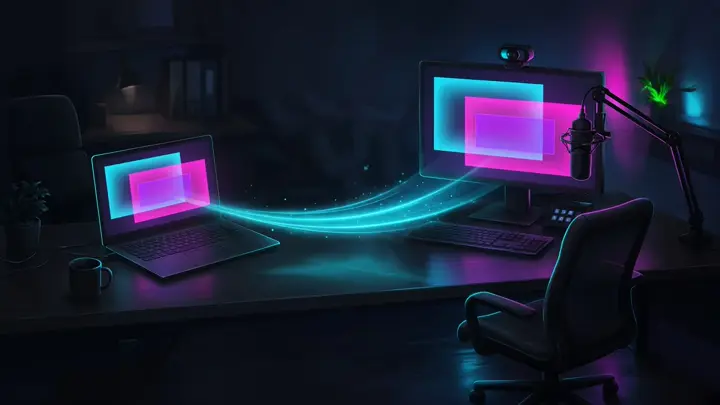
Invite a Producer, or open the tab yourself from another device. When Studio is connected, you can edit a scene without taking it live, then switch when it is ready. When Studio is closed, you can edit a cloud profile for the next time it opens.

A laptop in Live Center connected to the streaming PC canvas
One product

Bring the streaming tools together

StreamChum combines overlays, automations, chat tools, platform moderation, and Discord posts in one workspace.

Free stream elements

Free widgets and themed packs

Preview countdown timers, alerts, chat overlays, and complete packs. Sign up to install one in your workspace.

Explore

Studio, chat, overlays, and Play

StreamChum Studio

Capture, compose, encode, go live, or record the program on Windows and Mac.

Learn more

Producer

Lay out Studio overlays from Live Center. Invite a seat, or edit your setup when you are not at the PC.

Learn more

Streaming from Xbox

Connect Twitch. Chat, timeouts, automod, and briefs on a phone while Xbox stays live.

Learn more

Streaming from PlayStation

Connect the channel you Broadcast to. Run chat and mods from a phone while PS5 encodes.

Learn more

OBS plugin

Stay in OBS. Pair the plugin once and go live to Twitch, YouTube, and Kick.

Learn more

OBS Scene Builder

Talk your layout into place, add sources, fit game to camera, live.

Learn more

Actions & Stream Deck

Multi-step runs for chat, OBS, and overlays, fire from a command or a key.

Learn more

Play with your viewers

Host a game, share one link, and hand browser-based controllers to chat.

Learn more

Play Tournaments

Knockouts on your PC. Viewers register with Twitch and play from a browser.

Learn more

Element studio

Brand themed packs, dynamic alerts, and marketplace installs.

Learn more

AI overlays

Describe a widget, get a browser-source URL, drop it into OBS.

Learn more

Free stream elements

Free themed packs, countdown timers, alert boxes, and chat overlays.

Learn more

Chat and Mod Tools

Run chat across connected channels, including Discord. Automod, viewer briefs, timers, and commands sit in Live Center.

Learn more

Community memory

AI briefs on regulars and a searchable CRM filled in from chat.

Learn more

Analytics & history

Best days, best game for followers, platform mix, archived sessions with chat replay, and an email recap of who showed up after you go offline.

Learn more

Discord posts

Go-live pings, shout-outs, and slash commands, outbound only.

Learn more

The rest of the toolkit

Ko-fi events, raids, and staff invites.

Learn more

Downloads

Studio for Windows and Mac, plus OBS and Stream Deck plugins.

Learn more

Run your stream from one login.

Go live from Studio, work across your connected channels, post to Discord, and create a custom look.